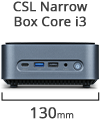
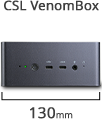
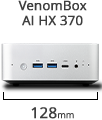
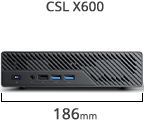
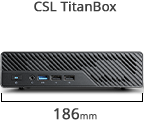
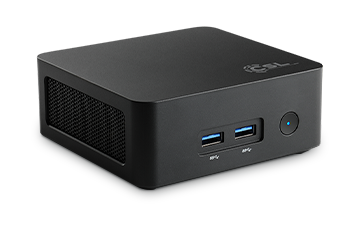
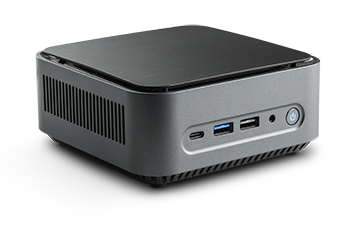
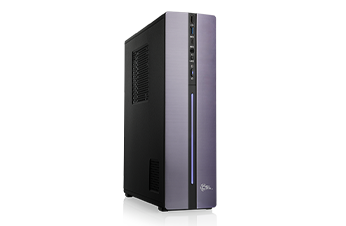
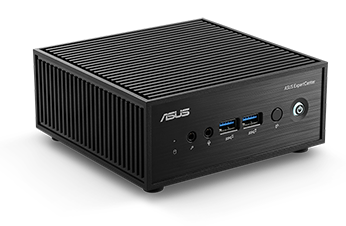
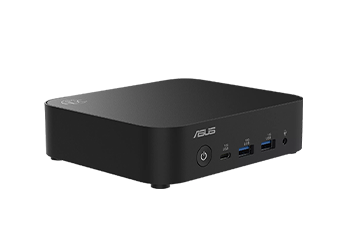
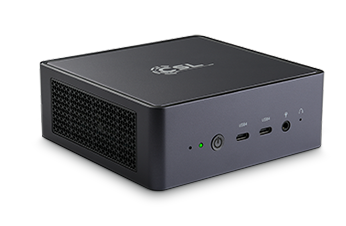
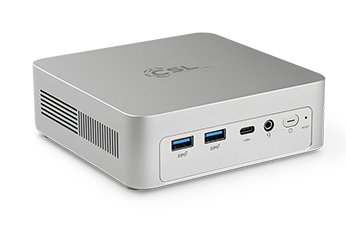
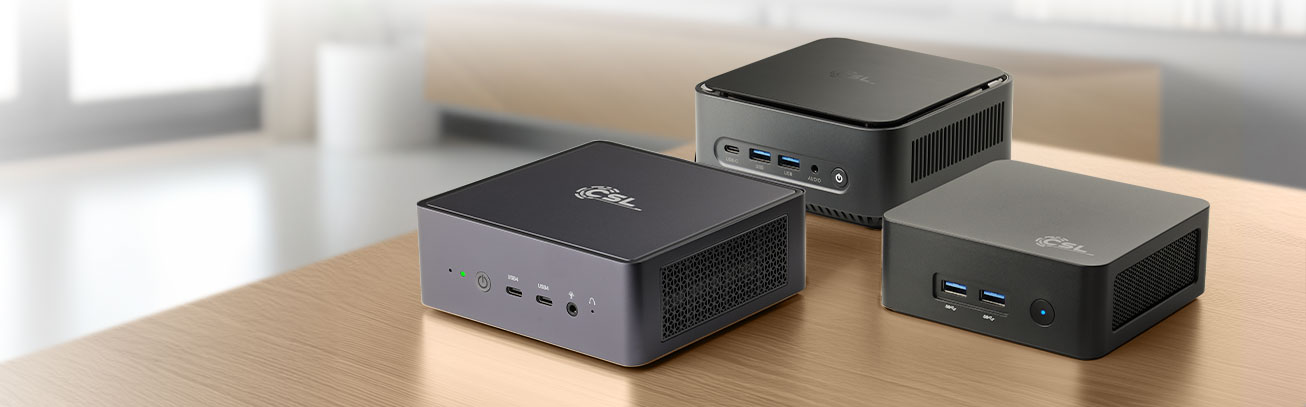
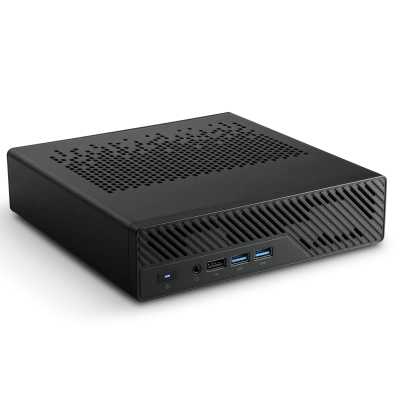
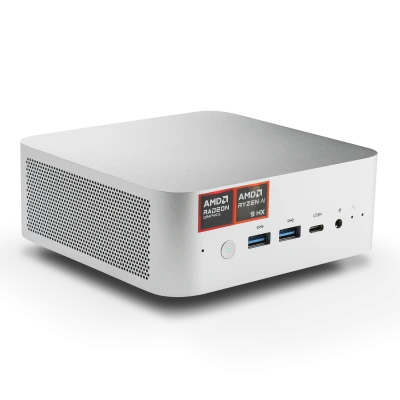
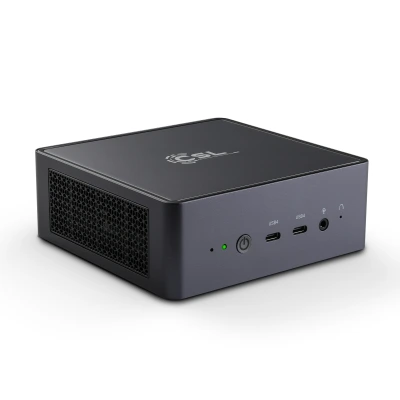
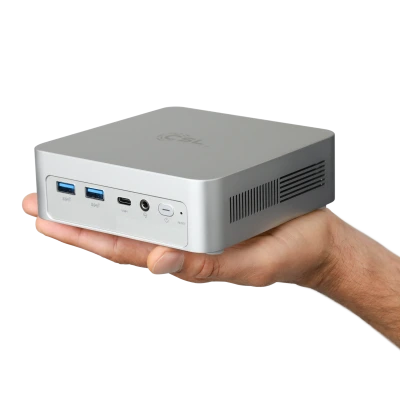
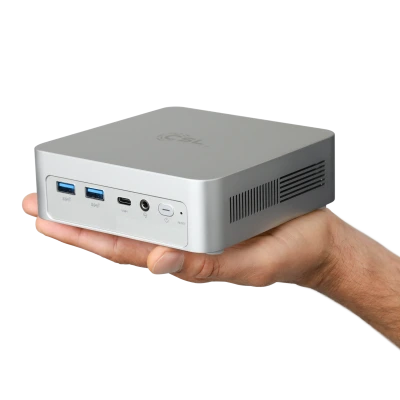
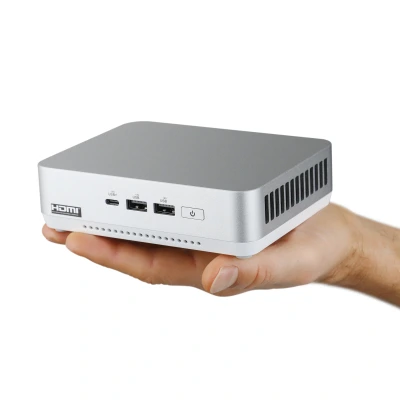
- AMD Ryzen 5 7640HS, 6x 4300 MHz
- AMD Radeon 760M
- 128 GB SO-DIMM DDR5-RAM
- 1000 GB M.2 PCIe 4.0 SSD Kingston NV3
- OnBoard WLAN 2400 MBit/s
-
-
- AMD Ryzen 5 PRO 8500G, 6x 3500 MHz
- AMD Radeon Graphics
- 128 GB SO-DIMM DDR5-RAM
- 500 GB M.2 PCIe 4.0 SSD Kingston NV3
- OnBoard WLAN 2400 MBit/s
-
- AMD Ryzen 5 PRO 8500G, 6x 3500 MHz
- AMD Radeon Graphics
- 96 GB SO-DIMM DDR5-RAM
- 4000 GB M.2 PCIe 4.0 SSD Kingston NV3
- OnBoard WLAN 2400 MBit/s
-
- AMD Ryzen 7 8845HS, 8x 3800 MHz
- AMD Radeon 780M
- 96 GB SO-DIMM DDR5-RAM
- 4000 GB M.2 PCIe 4.0 SSD Kingston NV3
- OnBoard WLAN 2400 MBit/s
-
- Intel Core i9-12900H, 14 cores (6+8), 6x 2500 MHz
- Intel Iris Xe Grafik OnChip
- 96 GB SO-DIMM DDR5-RAM
- 4000 GB M.2 PCIe 4.0 SSD Kingston NV3
- OnBoard WLAN 2400 MBit/s
-
- AMD Ryzen 5 PRO 8600G, 6x 4300 MHz
- AMD Radeon Graphics
- 128 GB SO-DIMM DDR5-RAM
- 500 GB M.2 PCIe 4.0 SSD Kingston NV3
- OnBoard WLAN 2400 MBit/s
-
- Intel Core Ultra 9 185H 16 cores (6+8+2), 6× 2300 MHz
- Intel® Arc 8 Graphics OnChip
- 96 GB SO-DIMM DDR5-RAM
- 2000 GB M.2 PCIe 4.0 SSD Kingston NV3
- OnBoard WLAN 2400 MBit/s
-
- AMD Ryzen 5 PRO 8600G, 6x 4300 MHz
- AMD Radeon 760M
- 96 GB SO-DIMM DDR5-RAM
- 4000 GB M.2 PCIe 4.0 SSD Kingston NV3
- OnBoard WLAN 2400 MBit/s
-
- AMD Ryzen AI 9 HX 370, 12x 2000 MHz
- AMD Radeon 890M
- 128 GB SO-DIMM DDR5-RAM
- 500 GB M.2 PCIe 4.0 SSD Kingston NV3
- OnBoard WiFi 5400 MBit/s
-
- AMD Ryzen AI 9 HX 370, 12x 2000 MHz
- AMD Radeon 890M
- 96 GB SO-DIMM DDR5-RAM
- 4000 GB M.2 PCIe 4.0 SSD Kingston NV3
- OnBoard WiFi 5400 MBit/s
-
- AMD Ryzen 5 PRO 8500G, 6x 3500 MHz
- AMD Radeon Graphics
- 128 GB SO-DIMM DDR5-RAM
- 1000 GB M.2 PCIe 4.0 SSD Kingston NV3
- OnBoard WLAN 2400 MBit/s
-
- AMD Ryzen 5 7640HS, 6x 4300 MHz
- AMD Radeon 760M
- 128 GB SO-DIMM DDR5-RAM
- 500 GB M.2 PCIe 4.0 SSD Kingston NV3
- OnBoard WLAN 2400 MBit/s
-
- AMD Ryzen 5 PRO 8500G, 6x 3500 MHz
- AMD Radeon Graphics
- 96 GB SO-DIMM DDR5-RAM
- 4000 GB M.2 PCIe 4.0 SSD Kingston NV3
- OnBoard WLAN 2400 MBit/s
-
- AMD Ryzen 5 PRO 8600G, 6x 4300 MHz
- AMD Radeon Graphics
- 128 GB SO-DIMM DDR5-RAM
- 1000 GB M.2 PCIe 4.0 SSD Kingston NV3
- OnBoard WLAN 2400 MBit/s
-
- AMD Ryzen 5 PRO 8600G, 6x 4300 MHz
- AMD Radeon 760M
- 96 GB SO-DIMM DDR5-RAM
- 4000 GB M.2 PCIe 4.0 SSD Kingston NV3
- OnBoard WLAN 2400 MBit/s
-
- AMD Ryzen 7 8700G, 8x 4200 MHz
- AMD Radeon 780M
- 96 GB SO-DIMM DDR5-RAM
- 2000 GB M.2 PCIe 4.0 SSD Kingston NV3
- OnBoard WLAN 2400 MBit/s
-
- AMD Ryzen AI 9 HX 370, 12x 2000 MHz
- AMD Radeon 890M
- 96 GB SO-DIMM DDR5-RAM
- 4000 GB M.2 PCIe 4.0 SSD Kingston NV3
- OnBoard WiFi 5400 MBit/s
-
- AMD Ryzen 5 9600, 6x 3800 MHz
- AMD Radeon Graphics
- 128 GB SO-DIMM DDR5-RAM
- 500 GB M.2 PCIe 4.0 SSD Kingston NV3
- OnBoard WLAN 2400 MBit/s
-
- AMD Ryzen 7 8845HS, 8x 3800 MHz
- AMD Radeon 780M
- 96 GB SO-DIMM DDR5-RAM
- 4000 GB M.2 PCIe 4.0 SSD Kingston NV3
- OnBoard WLAN 2400 MBit/s
-
- AMD Ryzen 5 9600, 6x 3800 MHz
- AMD Radeon Graphics
- 96 GB SO-DIMM DDR5-RAM
- 4000 GB M.2 PCIe 4.0 SSD Kingston NV3
- OnBoard WLAN 2400 MBit/s
-
- AMD Ryzen 5 7640HS, 6x 4300 MHz
- AMD Radeon 760M
- 128 GB SO-DIMM DDR5-RAM
- 1000 GB M.2 PCIe 4.0 SSD Kingston NV3
- OnBoard WLAN 2400 MBit/s
-
- AMD Ryzen AI 9 HX 370, 12x 2000 MHz
- AMD Radeon 890M
- 32 GB SO-DIMM DDR5-RAM
- 8000 GB M.2 PCIe 5.0 SSD Samsung 9100 Pro
- OnBoard WiFi 5400 MBit/s
-
- AMD Ryzen 7 9700X, 8x 3800 MHz
- AMD Radeon Graphics
- 96 GB SO-DIMM DDR5-RAM
- 2000 GB M.2 PCIe 4.0 SSD Kingston NV3
- OnBoard WLAN 2400 MBit/s
-
- Intel Core i9-12900H, 14 cores (6+8), 6x 2500 MHz
- Intel Iris Xe Grafik OnChip
- 96 GB SO-DIMM DDR5-RAM
- 4000 GB M.2 PCIe 4.0 SSD Kingston NV3
- OnBoard WLAN 2400 MBit/s
-
- AMD Ryzen 5 7640HS, 6x 4300 MHz
- AMD Radeon 760M
- 128 GB SO-DIMM DDR5-RAM
- 500 GB M.2 PCIe 4.0 SSD Kingston NV3
- OnBoard WLAN 2400 MBit/s
-
- AMD Ryzen AI 9 HX 370, 12x 2000 MHz
- AMD Radeon 890M
- 128 GB SO-DIMM DDR5-RAM
- 1000 GB M.2 PCIe 4.0 SSD Kingston NV3
- OnBoard WiFi 5400 MBit/s
-
- AMD Ryzen AI 9 HX 370, 12x 2000 MHz
- AMD Radeon 890M
- 128 GB SO-DIMM DDR5-RAM
- 500 GB M.2 PCIe 4.0 SSD Kingston NV3
- OnBoard WiFi 5400 MBit/s
-
- AMD Ryzen 5 PRO 8500G, 6x 3500 MHz
- AMD Radeon Graphics
- 128 GB SO-DIMM DDR5-RAM
- 500 GB M.2 PCIe 4.0 SSD Kingston NV3
- OnBoard WLAN 2400 MBit/s
-
- AMD Ryzen 7 8845HS, 8x 3800 MHz
- AMD Radeon 780M
- 128 GB SO-DIMM DDR5-RAM
- 500 GB M.2 PCIe 4.0 SSD Kingston NV3
- OnBoard WLAN 2400 MBit/s
-
- AMD Ryzen 5 PRO 8600G, 6x 4300 MHz
- AMD Radeon Graphics
- 128 GB SO-DIMM DDR5-RAM
- 500 GB M.2 PCIe 4.0 SSD Kingston NV3
- OnBoard WLAN 2400 MBit/s
-
- AMD Ryzen 5 9600, 6x 3800 MHz
- AMD Radeon Graphics
- 128 GB SO-DIMM DDR5-RAM
- 1000 GB M.2 PCIe 4.0 SSD Kingston NV3
- OnBoard WLAN 2400 MBit/s
-
- AMD Ryzen 7 8700G, 8x 4200 MHz
- AMD Radeon 780M
- 96 GB SO-DIMM DDR5-RAM
- 2000 GB M.2 PCIe 4.0 SSD Kingston NV3
- OnBoard WLAN 2400 MBit/s
-
- Intel Core i9-12900H, 14 cores (6+8), 6x 2500 MHz
- Intel Iris Xe Grafik OnChip
- 500 GB M.2 PCIe 4.0 SSD Kingston NV3
- OnBoard WLAN 2400 MBit/s
-
- AMD Ryzen 7 8845HS, 8x 3800 MHz
- AMD Radeon 780M
- 96 GB SO-DIMM DDR5-RAM
- 4000 GB M.2 PCIe 4.0 SSD Kingston NV3
- OnBoard WLAN 2400 MBit/s
-
- AMD Ryzen 5 9600, 6x 3800 MHz
- AMD Radeon 780M
- 96 GB SO-DIMM DDR5-RAM
- 4000 GB M.2 PCIe 4.0 SSD Kingston NV3
- OnBoard WLAN 2400 MBit/s
-
- AMD Ryzen 5 7640HS, 6x 4300 MHz
- AMD Radeon 760M
- 128 GB SO-DIMM DDR5-RAM
- 1000 GB M.2 PCIe 4.0 SSD Kingston NV3
- OnBoard WLAN 2400 MBit/s
-
- AMD Ryzen AI 9 HX 370, 12x 2000 MHz
- AMD Radeon 890M
- 32 GB SO-DIMM DDR5-RAM
- 8000 GB M.2 PCIe 5.0 SSD Samsung 9100 Pro
- OnBoard WiFi 5400 MBit/s
-
- AMD Ryzen 5 PRO 8500G, 6x 3500 MHz
- AMD Radeon Graphics
- 128 GB SO-DIMM DDR5-RAM
- 1000 GB M.2 PCIe 4.0 SSD Kingston NV3
- OnBoard WLAN 2400 MBit/s
-
- AMD Ryzen 7 9700X, 8x 3800 MHz
- AMD Radeon Graphics
- 96 GB SO-DIMM DDR5-RAM
- 2000 GB M.2 PCIe 4.0 SSD Kingston NV3
- OnBoard WLAN 2400 MBit/s
-
- Intel Core i9-12900H, 14 cores (6+8), 6x 2500 MHz
- Intel Iris Xe Grafik OnChip
- 96 GB SO-DIMM DDR5-RAM
- 4000 GB M.2 PCIe 4.0 SSD Kingston NV3
- OnBoard WLAN 2400 MBit/s
-
- AMD Ryzen AI 9 HX 370, 12x 2000 MHz
- AMD Radeon 890M
- 128 GB SO-DIMM DDR5-RAM
- 500 GB M.2 PCIe 4.0 SSD Kingston NV3
- OnBoard WiFi 5400 MBit/s
-
- AMD Ryzen 5 PRO 8500G, 6x 3500 MHz
- AMD Radeon Graphics
- 128 GB SO-DIMM DDR5-RAM
- 500 GB M.2 PCIe 4.0 SSD Kingston NV3
- OnBoard WLAN 2400 MBit/s
-
- AMD Ryzen 5 PRO 8600G, 6x 4300 MHz
- AMD Radeon Graphics
- 128 GB SO-DIMM DDR5-RAM
- 1000 GB M.2 PCIe 4.0 SSD Kingston NV3
- OnBoard WLAN 2400 MBit/s
-
- AMD Ryzen 7 8700G, 8x 4200 MHz
- AMD Radeon 780M
- 96 GB SO-DIMM DDR5-RAM
- 4000 GB M.2 PCIe 4.0 SSD Kingston NV3
- OnBoard WLAN 2400 MBit/s
-
- Intel Core i9-12900H, 14 cores (6+8), 6x 2500 MHz
- Intel Iris Xe Grafik OnChip
- 128 GB SO-DIMM DDR5-RAM
- 1000 GB M.2 PCIe 4.0 SSD Kingston NV3
- OnBoard WLAN 2400 MBit/s
-
- AMD Ryzen 7 8845HS, 8x 3800 MHz
- AMD Radeon 780M
- 128 GB SO-DIMM DDR5-RAM
- 1000 GB M.2 PCIe 4.0 SSD Kingston NV3
- OnBoard WLAN 2400 MBit/s
-
- AMD Ryzen AI 9 HX 370, 12x 2000 MHz
- AMD Radeon 890M
- 128 GB SO-DIMM DDR5-RAM
- 1000 GB M.2 PCIe 4.0 SSD Kingston NV3
- OnBoard WiFi 5400 MBit/s
-
- AMD Ryzen 5 PRO 8600G, 6x 4300 MHz
- AMD Radeon Graphics
- 128 GB SO-DIMM DDR5-RAM
- 500 GB M.2 PCIe 4.0 SSD Kingston NV3
- OnBoard WLAN 2400 MBit/s
Mini PC Buying Guide: Which Mini PC Fits Your Needs?
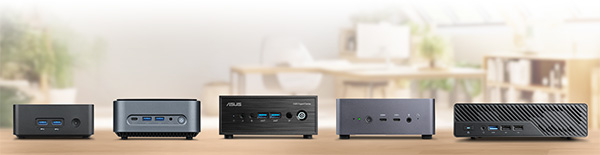
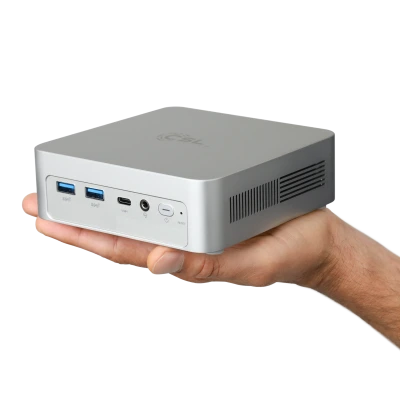
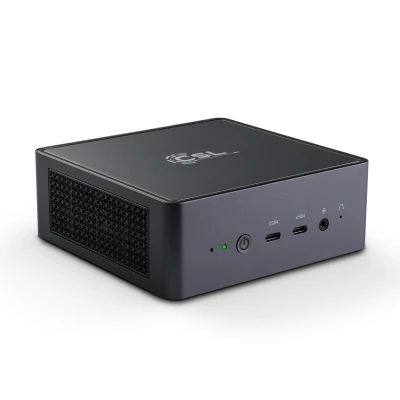
Mini PCs have evolved from basic office solutions to versatile, high-performance desktop alternatives in recent years. Modern Mini PCs cover a wide range of applications – from classic office workstations and home office setups to multimedia, entry-level gaming, and compact workstations. The key is selecting the right Mini PC for your intended use.
Mini PC vs. Traditional Desktop PC – What Are the Differences?
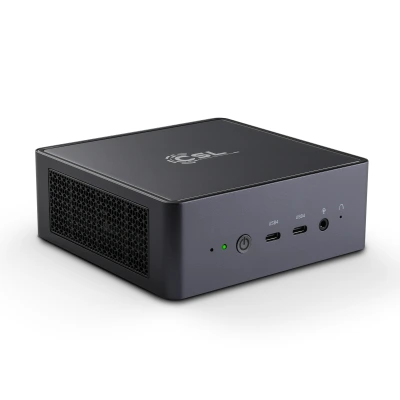
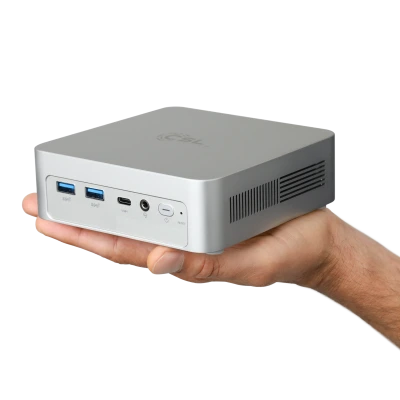
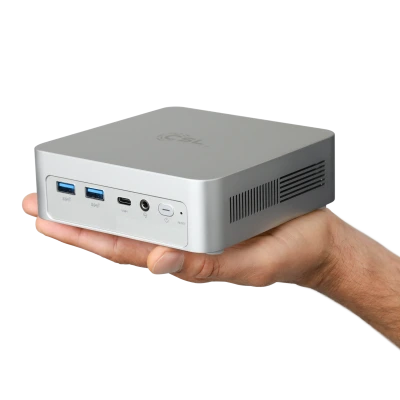
The biggest difference between a Mini PC and a traditional desktop PC is the form factor. Mini PCs are significantly more compact, require less space, and consume much less power. This makes them ideal for workspaces with limited room or minimalist, clutter-free setups.
While traditional desktop PCs offer maximum expandability, Mini PCs excel in energy efficiency, quiet operation, and easy integration – for example via VESA mounting behind your monitor. For most office, business, and multimedia applications, Mini PCs deliver more than enough performance today.
Mini PC Use Cases Overview
Mini PCs for Home Office & Office Work
For home office and classic office work, Mini PCs are an especially efficient solution. Word processing, spreadsheets, video conferencing, web applications, and cloud services pose no challenge. Models with Intel N-series or Core i3 processors, or AMD Ryzen 5, offer the perfect balance of performance, power consumption, and future-proofing. Our recommended office Mini PCs include:
Mini PCs for Multimedia & Streaming
As media PCs in the living room or streaming systems, Mini PCs impress with their low noise levels and compact design. 4K video playback, streaming services, and multimedia applications work flawlessly. HDMI and DisplayPort outputs enable connection to modern TVs and monitors. Our silent Mini PC models are particularly suitable for uninterrupted entertainment:
Mini PCs for Entry-Level Gaming
Entry-level gaming Mini PCs target users who want to play eSports titles, indie games, or older games. The key here is integrated graphics performance. Mini PCs with powerful AMD Ryzen processors including integrated graphics units (iGPU) achieve significantly higher scores in benchmarks like 3DMark compared to classic office systems.
For gaming, our models are excellent choices:
Mini PCs as Compact Workstations
Powerful Mini PCs are also suitable for demanding tasks like photo editing, programming, or video cutting. Here, processor power, RAM capacity, and fast NVMe SSDs play a central role. In PassMark benchmarks, these systems match many traditional desktop PCs. The CSL TitanBox Intel Core i9 High-End Mini PCs can even be upgraded with dedicated NVIDIA GeForce RTX low-profile graphics cards for maximum GPU performance in professional applications.
Mini PCs with AI Power (NPU)
Modern Mini PCs usher in the era of AI-powered work with dedicated NPUs (Neural Processing Units). Processors like AMD Ryzen 9 AI with integrated AI acceleration optimize workflows in real-time – from intelligent noise cancellation in video calls to local generative AI. These AI-ready Mini PCs deliver the computing power needed for complex machine learning tasks right on your desk, without relying on cloud services. Our extremely powerful, AI-optimized CSL VenomBox AI HX 370 High-End Mini PCs with Ryzen 9 combine this forward-looking NPU performance with top energy efficiency for a smart, productive workspace.
Evaluating Performance: Understanding Mini PC Benchmarks
Benchmarks are an objective tool for comparing Mini PC performance. The PassMark score reveals overall performance for office and daily applications, while 3DMark primarily evaluates graphics performance and is relevant for gaming.
Importantly, always view benchmarks in the context of your planned use. High 3DMark scores matter for gaming, while balanced PassMark scores are more relevant for office and business applications.
AMD vs. Intel Mini PCs – What Are the Differences?
Intel Mini PCs stand out with high energy efficiency, stable platforms, and strong single-core performance. They're particularly suitable for office, business, and professional applications.
AMD Mini PCs impress with excellent price-performance ratios and powerful integrated graphics. For multimedia and entry-level gaming scenarios, AMD-based Mini PCs often have advantages.
RAM & Storage: What to Consider
For smooth operation, at least 16 GB RAM is recommended, especially for multitasking or professional applications. Fast NVMe SSDs ensure short loading times and responsive systems.
Many Mini PCs offer flexible configuration and future upgrades, allowing adaptation to new requirements over time.
Noise Levels, Cooling, and Power Consumption
A key advantage of Mini PCs is quiet operation. Efficient processors and optimized cooling solutions ensure many models remain pleasantly quiet even under load. Passively cooled Mini PCs operate completely silently.
Users also benefit from low power consumption, making Mini PCs particularly attractive for continuous office or home office operation.
Mini PCs as Modern Desktop Alternatives
Mini PCs are more powerful than ever and represent a true alternative to traditional desktop PCs for many use cases. For those prioritizing compact design, quiet operation, and high energy efficiency, the Mini PC offers a future-proof solution – from office workstations to compact workstations.

Frequently Asked Questions About Mini PCs (FAQ)
What is a Mini PC?
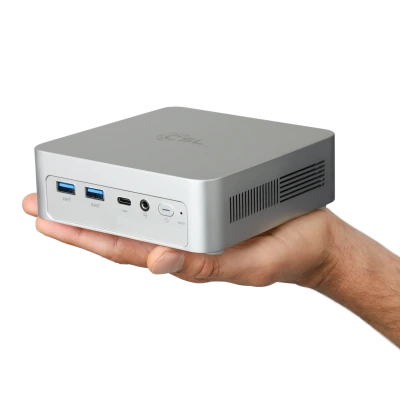
A Mini PC is a full-featured desktop computer in an ultra-compact form factor. Despite its small size, a Mini PC is suitable for office work, home office, multimedia, streaming, and – depending on specs – gaming or professional applications.
What is a Mini PC suitable for?
Mini PCs are ideal for home office, office workstations, digital signage, media centers, streaming, and school/business applications. More powerful models can also handle photo editing, video cutting, or entry-level gaming.
Are Mini PCs powerful enough?
Modern Mini PCs with current Intel Core or AMD Ryzen processors deliver sufficient performance for most daily and business applications. Performance can be objectively compared via benchmarks like PassMark or 3DMark.
Can you game on a Mini PC?
Mini PCs are suitable for casual games, eSports titles, and older games. For demanding AAA gaming, models with powerful integrated graphics or dedicated GPUs are required.
How quiet are Mini PCs?
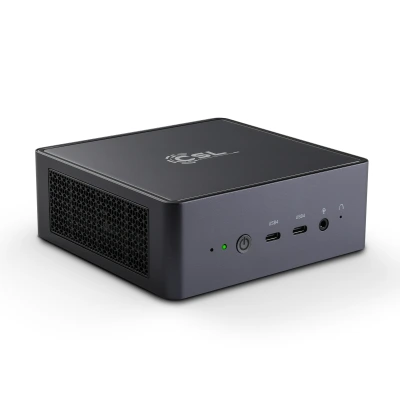
Many Mini PCs operate very quietly or nearly silently. Efficient processors and optimized cooling make them ideal for quiet work environments or living rooms.
What is the power consumption of a Mini PC?
Mini PCs are particularly energy-efficient. Compared to traditional desktop PCs, they consume significantly less power, making them cost-effective and environmentally friendly long-term.
AMD or Intel – which Mini PC is better?
Intel Mini PCs often offer high efficiency and strong single-core performance, while AMD Mini PCs excel with excellent price-performance ratios and powerful integrated graphics. The best choice depends on your use case.
Can Mini PCs be upgraded?
Many Mini PCs can be expanded with additional RAM or larger SSDs. Upgradeability depends on the specific model and case format.
Can Mini PCs be mounted behind the monitor?
Numerous Mini PCs support VESA mounting. This allows space-saving attachment directly behind the monitor for a clutter-free workspace.