Buying an Intel Core PC – what is inside a CSL complete system?
An Intel Core PC from CSL Computer is far more than just a collection of assembled parts. All components – from the processor and motherboard to the RAM and NVMe SSD, right down to the case and power supply – are carefully matched to one another, professionally installed, and subjected to a multi-stage quality test before shipping. This ensures that your new Intel PC runs immediately and absolutely reliably straight out of the box.
Every system is delivered with an up-to-date BIOS version, allowing the processor to unleash its full performance potential – including Intel Turbo Boost – right from the start. In the CSL product range, numerous systems are available completely without an operating system, giving you total freedom: simply use your existing Windows license or Linux, or use the configuration tool on the product page to add a ready-to-run Windows 11 setup, including all drivers, directly to your order.
For users with individual component preferences, our comprehensive PC Configurator is available, allowing you to freely combine CPU, GPU, RAM, and storage. On the other hand, if you are looking for a system optimized for maximum gaming performance, you will find an even more targeted selection in our Gaming PCs category as well as the Intel Core Gaming PCs.
Intel processors at a glance – from the N-Series to Core i9 / Ultra 9
Intel's processor family covers a wide performance spectrum – from ultra-efficient mini PC processors for silent continuous operation to flagship CPUs for professional workstations. Here is an overview of the most important classes:
Intel N-Series & Pentium – the ideal entry point for mini PCs
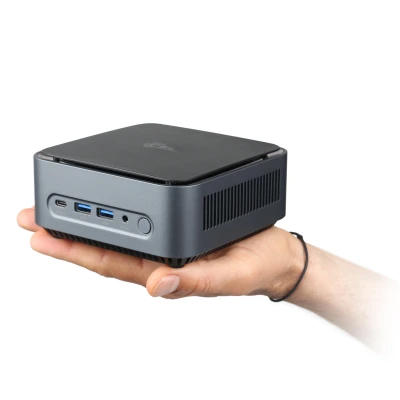
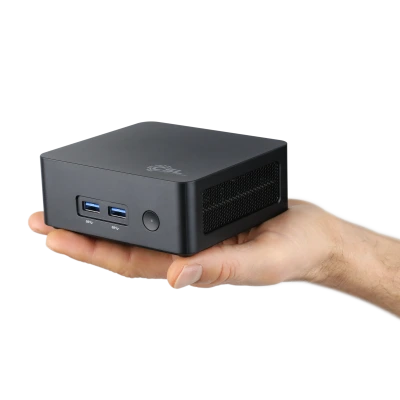
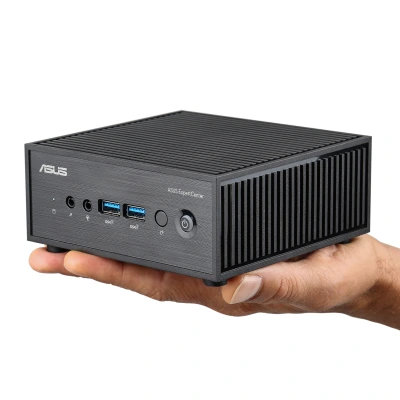
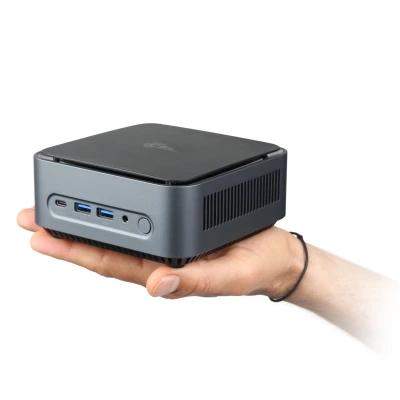
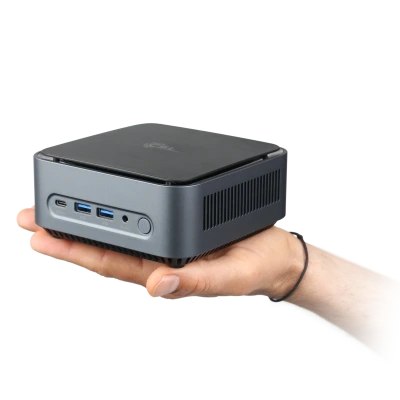
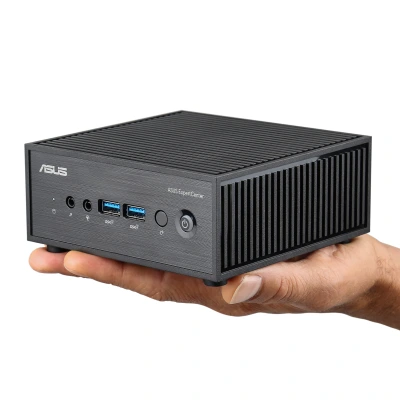
The Intel N-Series (N100, N150, N200) and the Intel Core i3-N305 are engineered for maximum energy efficiency with minimal space requirements. With a TDP of just 6 to 15 watts, they enable completely fanless designs, such as those used in the popular CSL Narrow Box and ASUS PN42 mini PCs. For office applications, 4K video streaming, home office, and light multimedia tasks, these processors provide more than enough headroom – all with exceptionally low power consumption and absolutely silent operation.
Core i3 – reliable entry level for everyday use
Intel Core i3 processors offer four powerful cores with Hyper-Threading and are ideally suited for all common everyday tasks: web browsing, office applications, email, video streaming, and basic image editing run smoothly and responsively. Core i3 systems are particularly energy-efficient and economical – an attractive choice for price-conscious beginners, school pupils, students, or as a secondary PC in the household.
Core i5 / Ultra 5 – the ideal mid-range for all-rounders
With six to ten cores and high boost clock rates, Core i5 processors offer the best price-to-performance ratio in Intel's desktop lineup. A Core i5 PC handles more demanding tasks like photo and video editing, streaming, entry-level CAD projects, and modern gaming at a solid level. Current models like the Core i5-14600K (Raptor Lake Refresh) or the Core Ultra 5 245K (Arrow Lake) combine high single-thread performance with efficient multi-core performance. For most home users, remote workers, and casual gamers, a Core i5 system represents the perfect balance of price and performance.
Core i7 / Ultra 7 – high-end performance for creators and power users
The Core i7 class is aimed at users who work under heavy workloads every day: video editing programs like DaVinci Resolve or Adobe Premiere, 3D modeling, music production, or working with multiple resource-heavy applications simultaneously – a Core i7 system handles it all with ease. With eight to twenty cores, a high multi-core score, and an efficient hybrid architecture (P-cores + E-cores), current models like the Core i7-14700K or the Core Ultra 7 265K provide tangible performance reserves for the future.
Core i9 / Ultra 9 – maximum CPU performance for professional workloads
Intel Core i9 and Core Ultra 9 processors are the flagships of Intel's desktop lineup and are aimed at professional users with the highest demands. Featuring up to 24 cores (8 P-cores + 16 E-cores) and outstanding clock frequencies, these systems handle processing-intensive workloads that push other processors to their limits: 4K and 8K video rendering, complex 3D scenes, machine learning experiments, or running multiple virtual machines in parallel. Current top models like the Core i9-14900K and the Core Ultra 9 285K on the modern LGA1851 platform are a future-proof investment for professional workstations.
Intel Core Ultra – AI processors for modern Windows 11 features
With the introduction of the Core Ultra series (Meteor Lake and Arrow Lake), Intel has ushered in a new era of desktop computing. The key feature: all Core Ultra processors feature an integrated NPU (Neural Processing Unit) – a dedicated AI accelerator that handles intensive AI tasks without placing a load on the GPU or CPU.
This NPU is the prerequisite for Microsoft's Copilot+ features in Windows 11: these include features like automatic image optimization, real-time live captions, AI-supported search functions, and the Recall feature. For users who want to exploit the full potential of Windows 11, a Core Ultra PC is therefore the most technically up-to-date choice.
Furthermore, the Arrow Lake architecture (Core Ultra 200 series) brings a new hybrid architecture with improved efficiency, lower power consumption in everyday use, and optimized multi-thread performance – particularly for productivity workloads and creative applications.
Which Intel generation is worth buying in 2026? – Core 12000 to Core Ultra 200 compared
Intel has launched several processor generations in recent years. The difference lies not only in performance, but also in the platform – and thus in the upgrade potential of your system:
12th & 13th Generation Intel Core (Alder/Raptor Lake) – LGA1700: The Raptor Lake generation (13th Gen) brought a significant performance increase over its predecessors with up to 24 cores and high clock frequencies. Systems based on this are now available at highly attractive prices and offer excellent everyday performance. However, without an NPU, they are not Copilot+ capable.
14th Generation Intel Core (Raptor Lake Refresh) – LGA1700: The 14th generation is an optimized evolution of Raptor Lake with partially higher clock speeds. It runs on the same LGA1700 socket and shares the platform with the 12th and 13th generations – making a simple upgrade possible. Models like the Core i5-14600K or Core i9-14900K continue to deliver excellent performance for gaming and productivity in 2026.
Intel Core Ultra 100 (Meteor Lake) – LGA1851: With the switch to LGA1851 and the Meteor Lake architecture, Intel introduced an integrated NPU for AI calculations for the first time. The platform supports DDR5 RAM and PCIe 5.0. Anyone who requires Copilot+ features and future-proof AI acceleration should enter at this generation.
Intel Core Ultra 200 (Arrow Lake) – LGA1851: The latest Intel generation for desktops is based on the Arrow Lake architecture with an overhauled hybrid CPU structure and an advanced NPU. Compared to Meteor Lake, Arrow Lake offers improved efficiency, optimized E-core performance, and lower idle consumption. Models like the Core Ultra 5 245K, Core Ultra 7 265K, and Core Ultra 9 285K are the most technically current choice for new purchases with maximum future-proofing.
Recommendation: If you are buying a new system today and value future-proofing, Copilot+ compatibility, and AI features, you should choose LGA1851 (Core Ultra 100 or 200). For a budget-friendly, immediately usable complete system, 13th/14th Gen systems on LGA1700 remain an excellent choice.
Current Intel Desktop Processors 2026 – Model Overview
The following table provides you with a structured overview of the most important current Intel processors installed in CSL complete systems. This information helps you identify the right system for your requirements:
Intel N-Series / Celeron / Pentium (Mini PC Processors)
| Model |
Series / Architecture |
Cores / Threads |
Boost Clock |
TDP |
RAM |
Key Feature |
| Intel N100 |
Alder Lake-N |
4 / 4 |
3.4 GHz |
6 W |
DDR4 / LPDDR5 |
Fanless mini PC operation possible, excellent efficiency |
| Intel N150 |
Twin Lake-N |
4 / 4 |
3.6 GHz |
6 W |
DDR4 / LPDDR5 |
Successor to the N100 with improved iGPU and efficiency |
| Intel N200 |
Alder Lake-N |
4 / 4 |
3.7 GHz |
6 W |
DDR4 / LPDDR5 |
Slightly higher clock speed than N100, ideal for silent office PCs |
| Intel Core i3-N305 |
Alder Lake-N |
8 / 8 |
3.8 GHz |
15 W |
DDR4 / LPDDR5 |
8-core efficiency CPU with strong multi-thread performance for mini PCs |
Intel Core 13th & 14th Generation (Socket LGA1700)
| Model |
Series / Architecture |
Cores / Threads |
Boost Clock |
TDP |
RAM |
Key Feature |
| Core i3-14100 |
Raptor Lake Refresh / 14th Gen |
4 / 8 |
4.7 GHz |
60 W |
DDR4 / DDR5 |
Economical quad-core for office and multimedia |
| Core i5-12400 |
Alder Lake / 12th Gen |
6 / 12 |
4.4 GHz |
65 W |
DDR4 / DDR5 |
Budget-friendly six-core without Hyper-Threading on E-cores |
| Core i5-14400 |
Raptor Lake Refresh / 14th Gen |
10 / 16 |
4.7 GHz |
65 W |
DDR4 / DDR5 |
Excellent price-to-performance ratio, 6 P-cores + 4 E-cores |
| Core i5-14600K |
Raptor Lake Refresh / 14th Gen |
14 / 20 |
5.3 GHz |
125 W |
DDR4 / DDR5 |
Unlocked (K), 6 P-cores + 8 E-cores, gaming bestseller |
| Core i7-14700K |
Raptor Lake Refresh / 14th Gen |
20 / 28 |
5.6 GHz |
125 W |
DDR4 / DDR5 |
20 cores (8P + 12E), excellent gaming and creator performance |
| Core i9-14900K |
Raptor Lake Refresh / 14th Gen |
24 / 32 |
6.0 GHz |
125 W |
DDR4 / DDR5 |
24 cores (8P + 16E), flagship for workstations and high-end gaming |
Intel Core Ultra 100 & 200 Series (Socket LGA1851)
| Model |
Series / Architecture |
Cores / Threads |
Boost Clock |
TDP |
RAM |
Key Feature |
| Core Ultra 5 245K |
Arrow Lake / Core Ultra 200 |
14 / 14 |
5.2 GHz |
125 W |
DDR5 |
With NPU for Copilot+, 6 P-cores + 8 E-cores, no Hyper-Threading |
| Core Ultra 7 265K |
Arrow Lake / Core Ultra 200 |
20 / 20 |
5.5 GHz |
125 W |
DDR5 |
20 cores with NPU, strong productivity and gaming performance |
| Core Ultra 9 285K |
Arrow Lake / Core Ultra 200 |
24 / 24 |
5.7 GHz |
125 W |
DDR5 |
Flagship with 24 cores and most powerful Intel NPU for maximum AI workloads |
Specifications according to manufacturer data (as of June 2026). Actually installed models vary depending on system configuration. For current availability and configuration options, please refer to the respective product pages.
Buying an Intel Core PC – what should you look out for?
Not all complete systems are created equal. In addition to the processor, several other components crucially determine how well and how long your PC can handle its tasks. At CSL, all systems are already optimally tuned – nevertheless, it is helpful to know the most important factors:
System Memory (RAM): DDR4 or DDR5?
Intel systems from the 12th generation onwards support both DDR4 and DDR5 – depending on the installed platform. Systems with Core Ultra (LGA1851) exclusively use DDR5, which offers higher memory bandwidth and better efficiency compared to DDR4. For Windows 11 and common office applications, 16 GB RAM is the minimum; for video editing, gaming, or parallel multitasking, 32 GB is recommended.
Storage: NVMe SSD for fast loading times
A fast NVMe SSD as the system drive is standard in modern complete systems. It ensures fast boot times, rapid opening of applications, and smooth loading times in games. For a start, 500 GB is sufficient for the operating system and programs; anyone storing many photos, videos, or games should plan for at least 1 TB. Via the configuration tool on the product page, you can subsequently add a second SSD or HDD for mass storage to many CSL systems.
Graphics: Integrated or dedicated GPU?
All Intel Core desktop processors (except F variants) feature integrated Intel UHD or Iris Xe graphics, which are entirely sufficient for office applications, 4K video streaming, and lighter creative tasks. For more demanding gaming, 3D rendering, or professional image editing, a system with a dedicated graphics card is recommended. In this general Intel category, you will also find complete systems with a discrete GPU – our specialized Gaming PCs offer an even more targeted selection for players.
Platform and Future-Proofing: LGA1700 or LGA1851?
Anyone buying a system today who wants to upgrade to a new CPU in the coming years should choose the LGA1851 platform. Intel has established LGA1851 as the current platform for the Core Ultra 200 series. LGA1700 systems (12th to 14th Gen) are an excellent choice if the focus is on a budget price and immediate use – without an absolute necessity for a CPU upgrade.
Power Supply: sufficiently dimensioned for future expansions
CSL systems are delivered with appropriately dimensioned power supplies. If you plan to retrofit a powerful graphics card later, ensure when buying that the power supply provides at least 550 W and has an 80PLUS efficiency standard. Our Upgrade PCs are specifically designed for later expansions.
Operating System and Configuration: Total flexibility at CSL
In the CSL product range, you have maximum freedom of choice: many PCs are shipped without an operating system, allowing you to use your own Windows or Linux license. Alternatively, a fully activated Windows 11, including all drivers, can be set up via the configuration tool on the product page – your computer is then immediately ready for use. The same tool enables the individual customization of all hardware components before purchase.
Intel vs. AMD – for whom is an Intel PC the better choice?
The decision between Intel Core and AMD Ryzen depends on your personal usage profile. Both platforms offer excellent performance in 2026 – the differences lie in details that are more or less relevant depending on the use case.
Intel Core scores particularly well in:
- Copilot+ and AI features: Only Intel Core Ultra offers an integrated NPU that accelerates Microsoft's AI features under Windows 11 (Copilot+, Recall, automatic image optimization).
- Single-thread performance: Intel Core i9 and Core Ultra 9 deliver outstanding single-thread results in many benchmarks, which are important for gaming and latency-sensitive applications.
- Broad ecosystem: Intel has years of compatibility experience and particularly wide availability in office and business systems.
- Mini PCs and fanless designs: Intel's N-Series and Core i3-N305 enable absolutely silent complete systems in an ultra-compact format.
AMD Ryzen offers advantages in:
- Often more cores and higher multi-core throughput in comparable price ranges
- AM5 platform with long-term upgrade compatibility up to Zen 6
- X3D V-Cache technology for maximum gaming FPS in CPU-intensive scenarios
For a direct system comparison, we recommend browsing our AMD Ryzen PC Systems. If you have any questions regarding your decision, our service team is happy to assist you by phone.
Discover more PC categories at CSL
Frequently Asked Questions about Intel Core PC Systems
What is the difference between Intel Core i5, i7, and i9?
The number in the model name represents the performance class. Core i5 offers ten to fourteen cores and is the best all-rounder for office work, multimedia, and light gaming. Core i7 offers more cores (up to 20) with higher clock speeds and is engineered for power users, gamers, and content creators. Core i9 represents the ultimate flagship with up to 24 cores and is aimed at professional users who require maximum multi-core performance for rendering, simulation, or workstation tasks. For most home users, Core i5 is the most cost-effective choice.
What is the difference between Intel Core and Intel Core Ultra?
The most important difference lies in the integrated NPU (Neural Processing Unit): Intel Core Ultra processors (Meteor Lake and Arrow Lake) feature a dedicated AI accelerator that enables Microsoft's Copilot+ features under Windows 11. Classic Intel Core processors (up to the 14th generation) do not have an NPU and are therefore not Copilot+ capable. Furthermore, Core Ultra is based on a more modern chiplet architecture, uses DDR5 RAM, and offers optimized energy efficiency. For pure office and gaming use without AI requirements, 13th/14th generation Core i5/i7 systems also offer excellent performance at attractive prices.
Which Intel PC is suitable for office and home office?
For typical office and home office tasks – word processing, spreadsheets, video calls, web browsing – a Core i3 or Core i5 system is entirely sufficient. For a budget-friendly, compact office setup, a mini PC featuring the Intel N-Series or Core i3-N305 is also an excellent choice. Make sure to choose at least 16 GB RAM and an NVMe SSD as the system drive – this has a significantly greater impact on perceived speed than the pure CPU choice. Each setup can be flexibly configured via the product page.
Are all Intel PC systems from CSL delivered with pre-installed Windows 11?
No, a large portion of our systems are delivered standard without an operating system, as this option is highly popular with customers who already own licenses. However, for every model, you have full freedom via the configuration tool on the product page to add a ready-to-run Windows 11 installation, including all drivers, to your order with just a few clicks.
Are 13th and 14th generation Intel Core PCs still worth it in 2026?
Yes, absolutely. 13th and 14th generation Core i5/i7/i9 systems offer excellent performance in 2026 at highly attractive prices – especially for gaming, content creation, and demanding everyday tasks. They do not support Copilot+ features (since no NPU is installed), but they deliver excellent performance in typical desktop scenarios. Anyone wanting to use AI features under Windows 11 should choose a Core Ultra system.
Can I upgrade an Intel PC from CSL myself later?
Yes, most CSL complete systems are designed for later upgrades. RAM can be easily expanded if there are free slots, and additional SSDs or HDDs can be retrofitted later. On LGA1700 systems (12th/13th/14th Gen), a CPU swap within the same platform is also possible. If you are looking for a system that is particularly easy to upgrade, we recommend taking a look at our Upgrade PCs, which are specifically designed for expansions.
What are Copilot+ features and which Intel PC supports them?
Copilot+ is a certification program introduced by Microsoft for Windows 11 PCs with an integrated NPU (Neural Processing Unit) that delivers at least 40 TOPS (Tera-Operations per Second) of AI processing power. Enabled features include Recall (an AI-powered memory for your PC), automatic live captions, AI image generation in Paint, and enhanced search capabilities. All Intel Core Ultra processors (from the Meteor Lake / Core Ultra 100 series onwards) meet these requirements and are therefore Copilot+ capable. Classic Core i processors up to the 14th generation do not have an NPU and do not support these features.
Which Intel PC is best suited for gaming?
For gaming PCs with an Intel CPU, systems with a Core i5-14600K or higher combined with a powerful dedicated graphics card are recommended. The high single-thread clock speeds of Intel Core i processors (up to 6.0 GHz on the i9-14900K) ensure excellent frame rates in many games. For a dedicated gaming focus, it is also worth taking a look at our specialized Intel Core Gaming PCs, which are optimally tuned for maximum gaming performance.